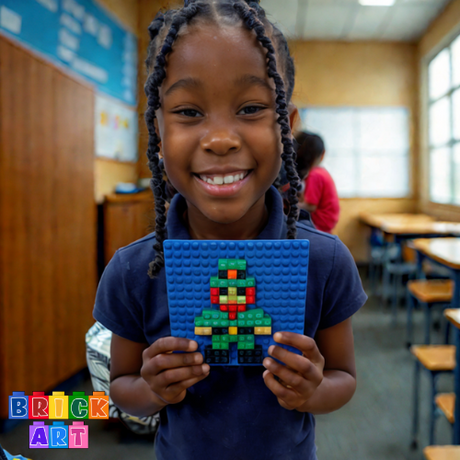
Brick Art Classroom Program

Students design mosaics using 1x1 bricks using a digital Mosaic Design Tool. No student logins. No student emails. Mosaic Design images are submitted directly to the teacher using their School's Learning/Online Platform. Use the form below to request access to use the Brick Art Mosaic Designer.

Why Teachers Love the Classroom Designer Mosaic Designer

The Brick Art Classroom Designer is built specifically for schools — safe, secure, and simple to use. Unlike many digital tools, students never need to create accounts, share personal information, or enter email addresses. Everything runs through the teacher’s Classroom Dashboard and your school's online learning platform, keeping all activity contained and fully supervised.

Teachers generate a unique class link that students use to start designing instantly. No logins, no usernames, no data collection — just pure creativity.

Key Safety & Privacy Benefits

  • No student emails or accounts needed
    Students access the Mosaic Designer with one click. No personal info is ever requested or stored.
  • Teacher-controlled dashboard
    All student designs are routed directly to the teacher’s dashboard for review — nothing is publicly visible unless a teacher chooses to share it.
  • classroom-safe design
    The system is built with privacy in mind, making it suitable for elementary and middle school use.
  • Secure submission flows
    Student work is submitted safely and privately to the teacher through the school's learning platform, ensuring full classroom oversight.

Simple to run and safe for students, the Brick Art Classroom Designer gives teachers an easy, privacy-first way to bring creativity and digital design into their lessons — without the tech headaches.

How it Works

1. Request Access for your school login and teacher dashboard.

2. We create your school login and dashboard.

3. You'll get:

  • Your school's teacher dashboard link.
  • Your classroom link for students.
  • Instructions for using /exporting designs.

4. What Student's See:

  • Students use a safe classroom link on any iPad Chromebook, or laptop or desktop computer.
  • They create a design, download the design and upload it to their classrooms Learning platform.

CLASSROOM MOSAIC DESIGNER

REQUEST ACCESS FOR YOUR SCHOOL TODAY!

Fill out the form below to receive your school login and teacher dashboard.